
Keyword Marker
DO I NEED THIS - IF IT'S ALL ON THE SALES PAGE?
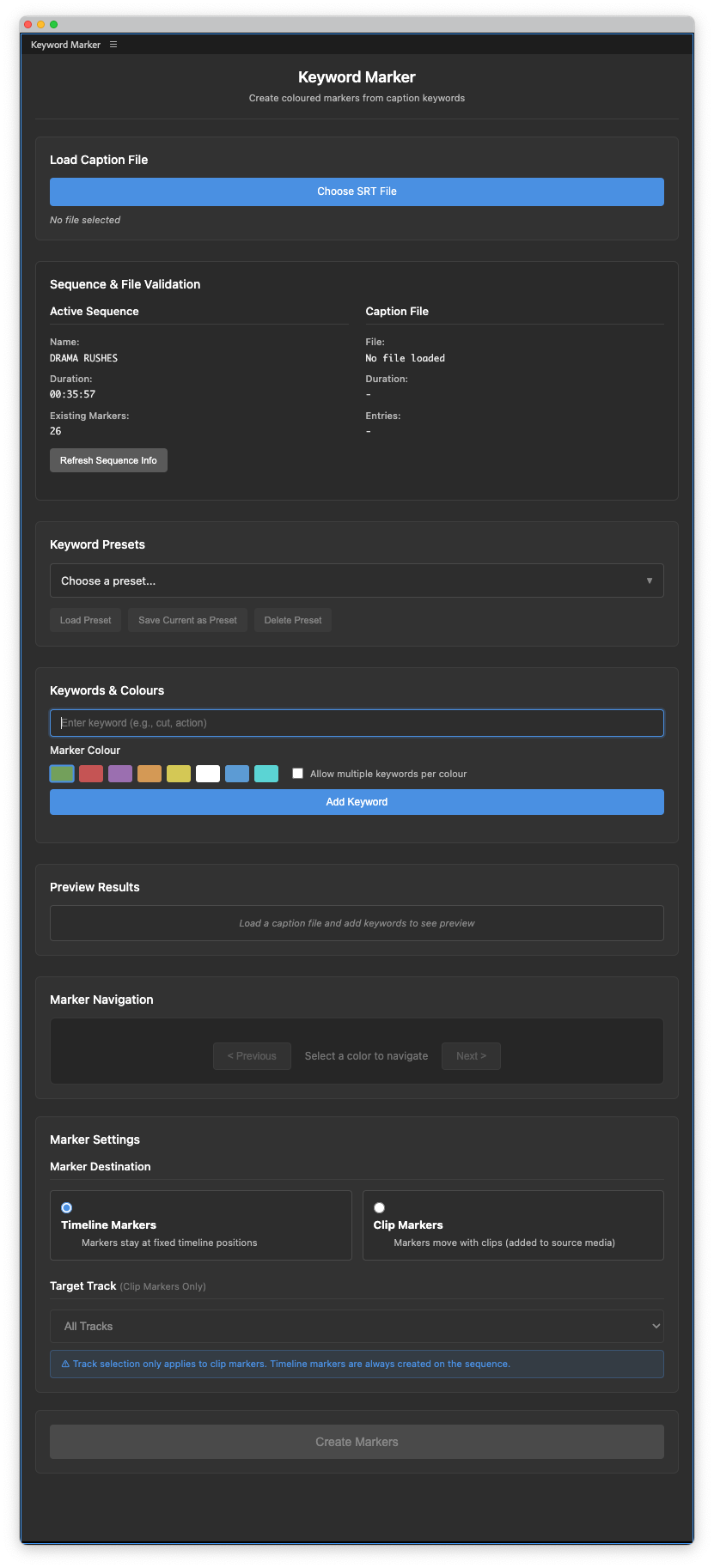
Cut/daily's Keyword Marker is an Adobe Premiere Pro extension that enables you to visually pinpoint the timeline location of multiple keywords in a transcript.
The ability to mark keywords, see them in context, and rapidly navigate to their location will save you hours of scrolling around.
While Premiere has it's own transcript search, you lose those results as soon as you clear the search term. With Keyword Marker you find them once and keep them marked as long as you like.
Multiple times over.
Use it for
- Marking “Action” and “Cut!” on every take in a couple of seconds
- Finding clusters of keyword topics in an interview
- Tracking verse/chorus takes in performances
- Counting instances of a brand mention in a video
- A thousand more ways to automatically add markers
Mark My Words!
VIDEO
Watch the video above to see how Keyword Marker works in practice, but here's how to use it.
Keyword Marker workflow
- Layout your media on a single timeline
- Transcribe your media, create captions and export to SRT
- Open Keyword Marker and import the SRT
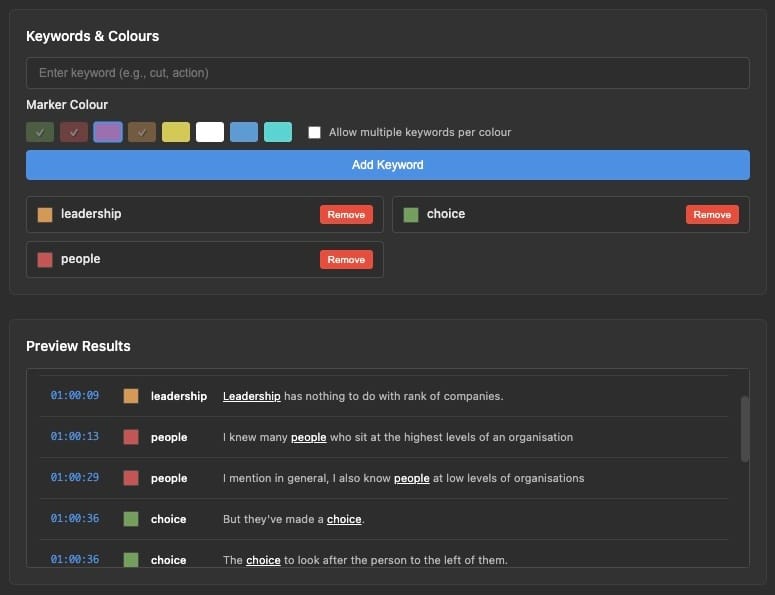
- Add keywords (one per colour or multiple per colour)
- Preview the results
- Batch add hundreds of markers in seconds
- Either to the timeline or to clips on specific tracks
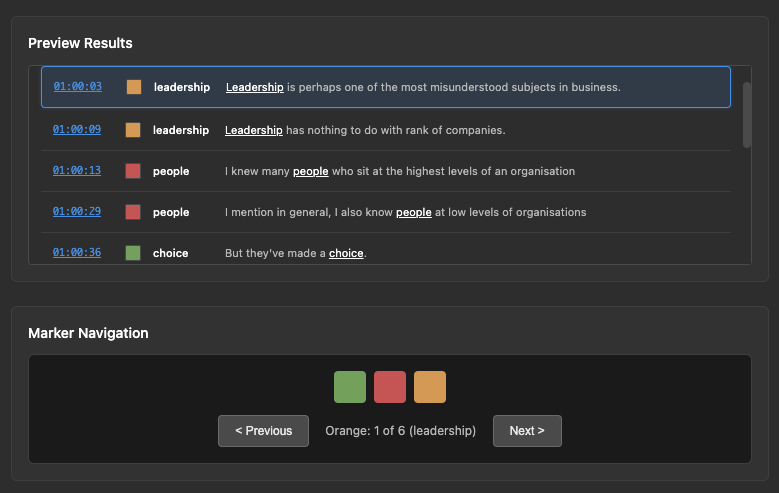
- Navigate the markers in the preview window
- Navigate the markers with the colour-specific controls
Useful features
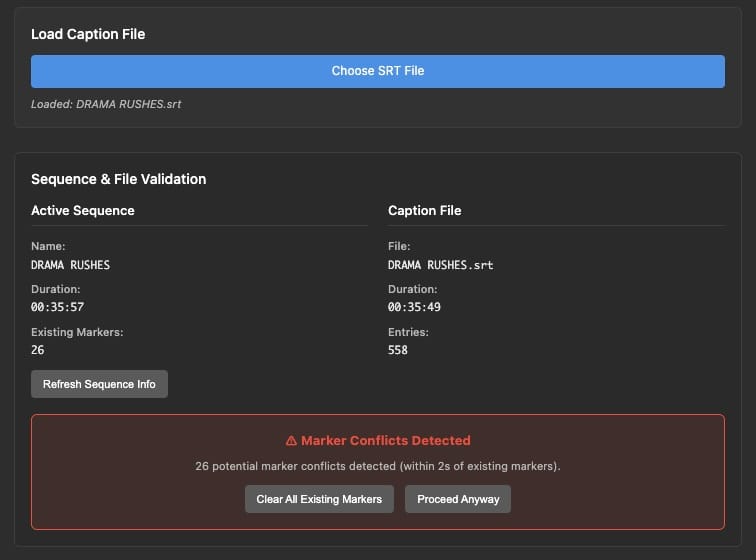
- Sequence & SRT matching validation
- So you add markers to the right sequence
- Save keyword presets for reuse
- Save time on repeated workflows
- See keyword context preview
- Find the instance you're looking for
- Marker navigation by colour/keyword
- Zip through every version of that word
- Add markers to either the timeline or clips
- Markers in clips travel with them
- Add markers to clips on all tracks or target one
- Useful for maintaining multi-cam sync
- Marker proximity warning
- Avoid deploying clashing markers
- Clear existing markers
- Clean up your timeline
- Undo last marker batch
- We all make mistakes
Buy Keyword Marker
Hit the Cut/daily store to purchase Keyword Marker (or any of our other apps) and benefit from:
- No subscriptions! Pay once, own it forever
- Lifetime of free updates, improvements, and fixes
- Friendly email customer support
- 100% money-back guarantee
Keyword Marker FAQ
Why is Keyword Marker so affordable?
Cut/daily is free because I want as many people to enjoy reading it as possible. These apps are affordably priced because I want them to be accessible to as many editors as possible.
What is the supported system spec?
To be honest, I don't know! This definitely works in Adobe Premiere Pro 25 on Mac OS 15.7.1 but it should work on both Mac and Windows and older versions of Adobe Premiere Pro that support ExtendScript.
What is the money-back guarantee?
I want you to be entirely satisfied with your purchase, so I’m happy to refund you 100% of the price of the app – and I’ll even eat the credit-card/PayPal fees for you – if you find that the app doesn't work as intended. Just drop me a message with your thoughts, and if I can't ship you a fix, I’ll refund you instantly.