
#491 – My New Desk Friend
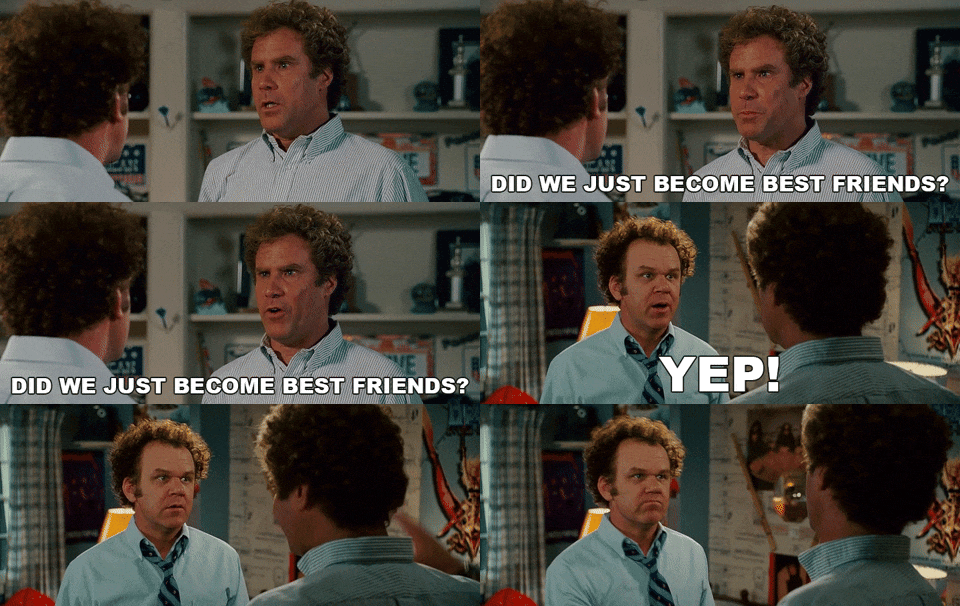
Cut/daily's genesis can be traced back, in part, to this John Callahan cartoon.
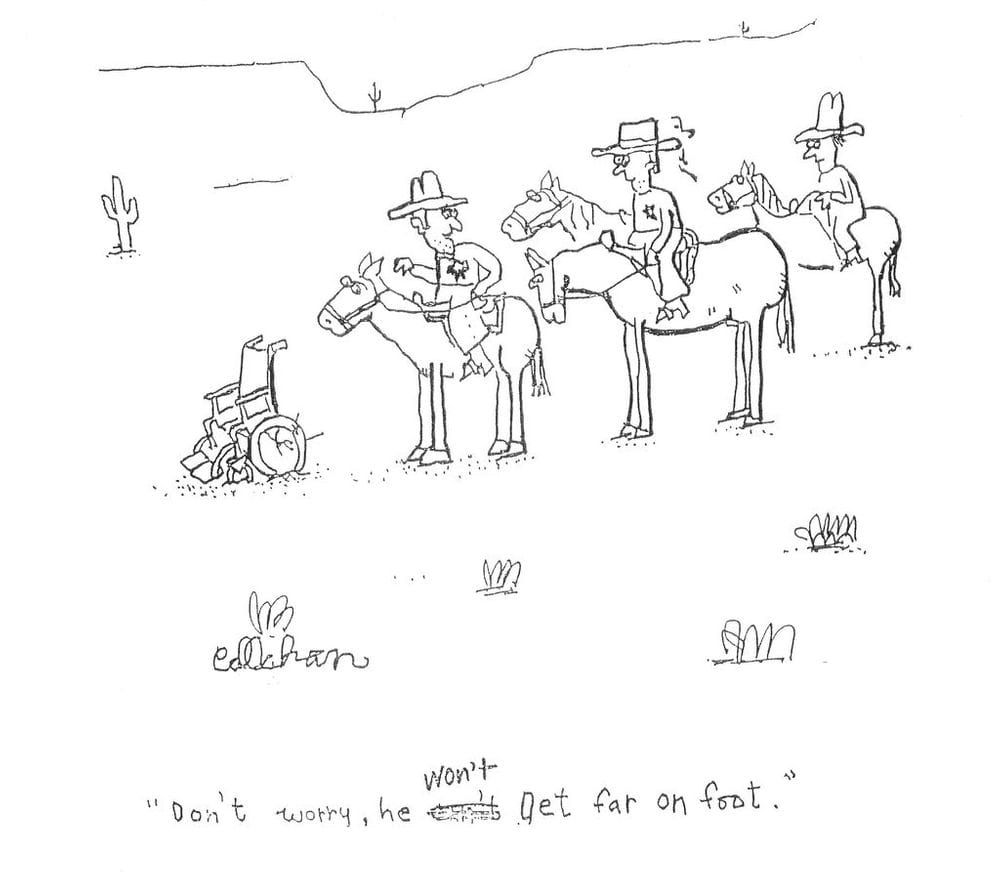
The kernel of the idea was to create a daily nugget of editorial insight, wisdom or witty remark. Each day, there would be something new to enjoy, like turning over the next cartoon on a New Yorker desk calendar.
Well, today I wanted to share a new discovery that delivers that same daily dose of delight, the TRMNL OG.
Plus, a new way for you to enjoy a daily slug of Cut/daily wisdom if you set yourself a new homepage... but more on that later.
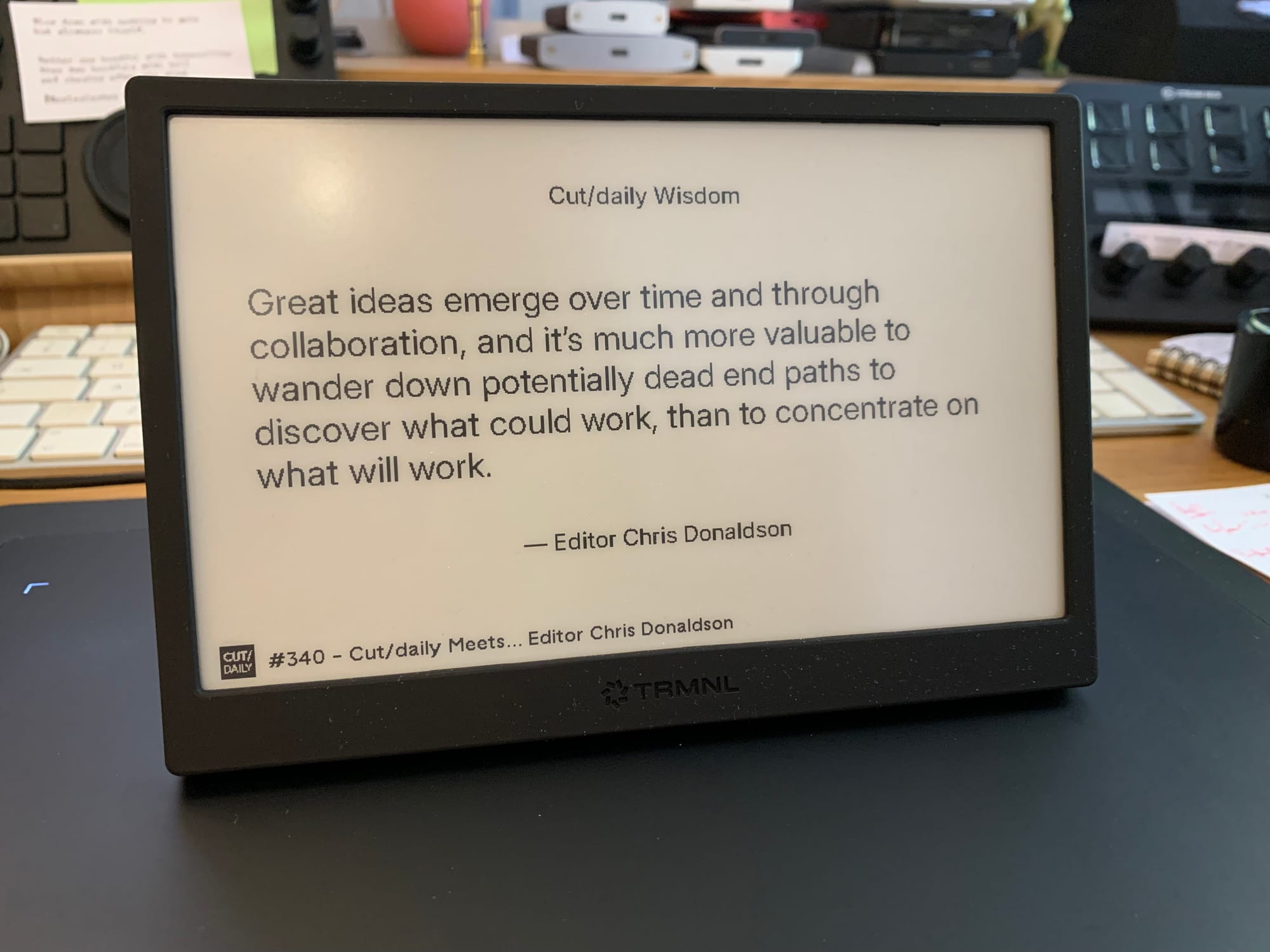
As you know, editors like to have new things on their desk; we tell ourselves they will help us work faster, or smarter (#2). And some actually do.
The TRMNL can make you faster - by helping you focus - and smarter, by drip-feeding you wisdom. But it's got no whistles and bells to entice you.
Its genius is in its constraint.
I'm still at the start of my TRMNL journey, but I already know I love it.
Back on the 10th April 2026. If you get hungry, search the Archive.
TRMNL – A Review for Film Editors
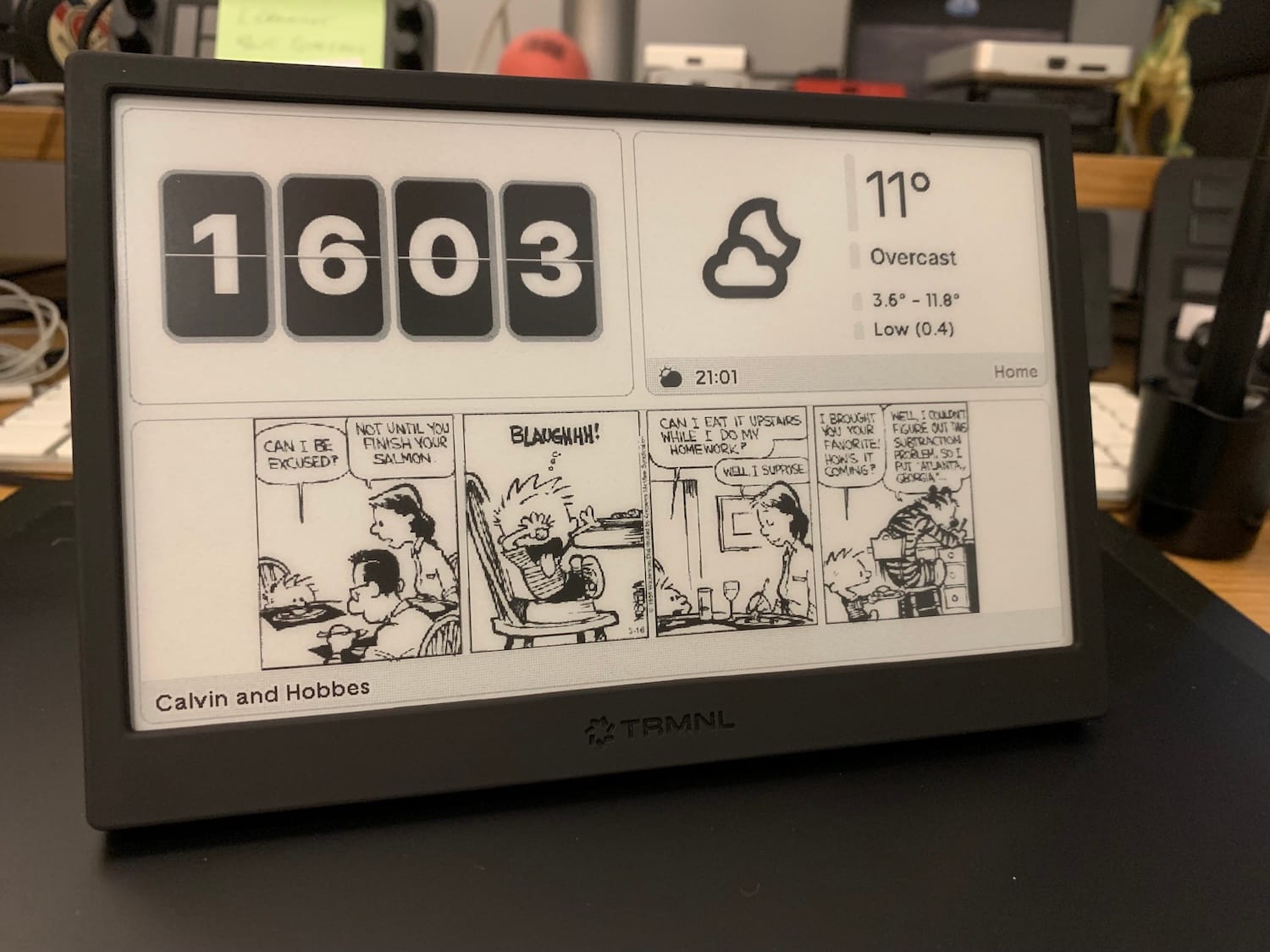
What is a TRMNL?
TRMNL describes itself as “an e-ink companion that helps you stay focused.”
We believe technology should enhance your life without demanding your attention. Our ePaper dashboard is designed to provide information you need at a glance, without the endless notifications from traditional screens.
— TRMNL
It's built by and for DIY tinkerers, homebrew developers, and an open community of builders who have embraced TRMNL's radical simplicity but are pushing it to do so many interesting things.
Stats:
- 7.5" e-ink display with 4 grayscale and fast refresh
- 1800mAh battery, upgradeable to 2500mAh. Lasts 2-6 months pending refresh preferences.
- 850+ available plugins
- Build your own plugins
What can it do?
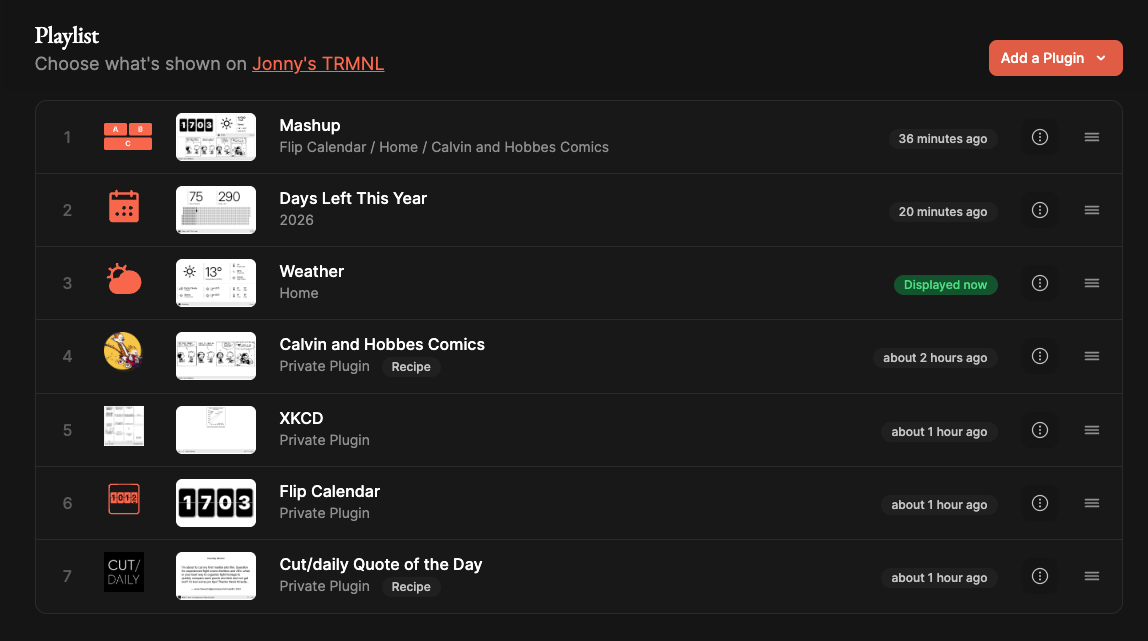
The basic concept of TRMNL is that you build a Playlist of plugins to display on the device, each one getting its moment to shine depending on the refresh rate you set.
That might include:
- The contents of your Ethereum Wallet
- Astronauts who are in space right now
- Your Calendar (Google/Apple/Outlook)
- Digital Postcards sent to your TRMNL
- Todo Lists
- Days Left Until...
There are also community-built plugins called Recipes:
There's even a recipe to track the latest recipes.
Out of the box, a TRMNL doesn't ‘do’ anything. It's inherently customisable, so you have to come to it with a tinkerer's mentality. Which I, for one, fully appreciate.
One excellent aspect of TRMNL is that, as it's an e-ink display, the battery only needs charging every 3-6 months, depending on how frequently it refreshes the screen.
It's lightweight, well-made, and much more enjoyable than it might seem at first glance.
The limitation of non-real-time information* is actually what makes it great.
What is it good for?
So many things, depending on what you want to do with it. That's the beauty of it.
For film editors, I could imagine using it for:
- Tracking daily tasks
- Post schedule milestones
- Days to Picture Lock countdown
- Learning a shortcut a day
- Custom workflow cheatsheets
- Delivery spec checklists
- Render/Export monitor
- Drive space monitor
- YouTube stats tracker
- Cut/daily Wisdom
Most of these plugin ideas don't exist yet. But invest a little time with Claude Code, and you could easily have an MVP cooking.
I'll let you know what I create next for my own TRMNL...
*What is it not made for?
It's not a screen designed for constant gawking, doom-scrolling, or the like.
This is brilliant and a refreshing change of mindset from the phone.
The shortest refresh rate interval is 5 minutes, so you can keep tabs on things, but not in real-time, and most of the time you'll have your device refresh rate set to at least 15 minutes to help the battery last 90 days.
So, for example, while I had tried to install the Flip Clock plugin, because I liked the look of it, it was impossible to keep in sync with reality.
Instead, I forked that plugin and used Claude Code to adapt the existing code to turn it into a Flip Calendar with the day and date instead of the time.
If Cut/daily helps you stay informed, empowered, and amused, why not return the favour and support the flow of free weekly Insights with a financial contribution?
You can become a regular Cut/daily Benefactor with the benefit of complete access to the Archive, or drop a one-time contribution of any amount today.
Cut/daily Wisdom
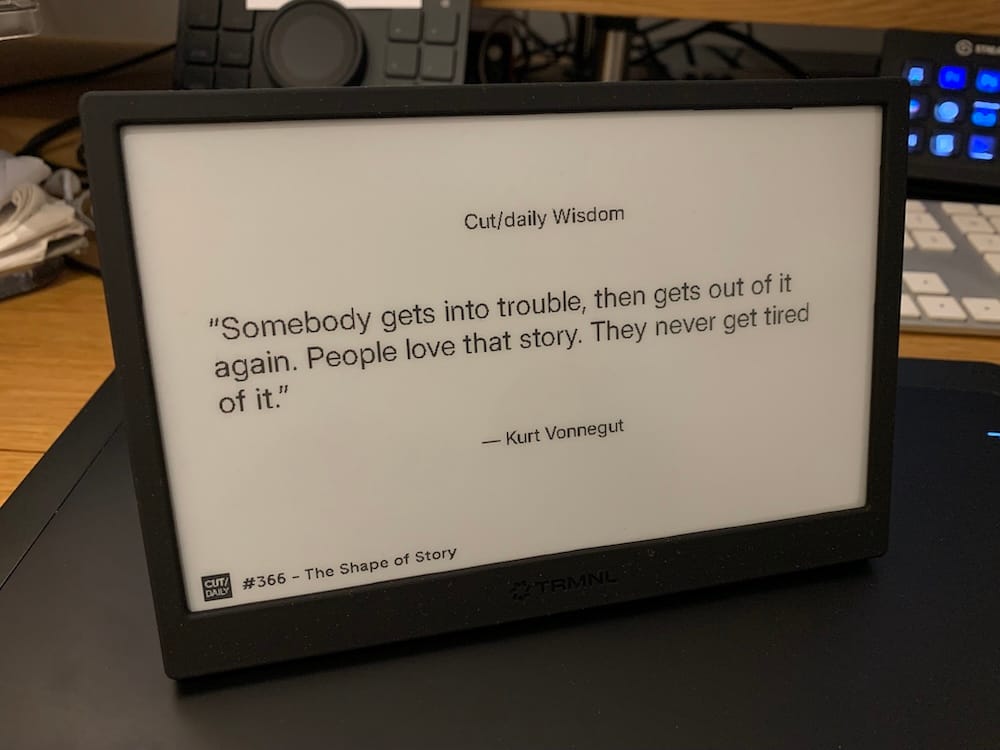
If you get yourself a TRMNL, you too can enjoy the Cut/daily wisdom plugin, featuring a choice nugget of editorial wisdom, gleaned from the annals of Cut/daily's 500 Issue Archive, in particular the 80+ Cut/daily Meets... interviews with some of the industry's best and brightest.
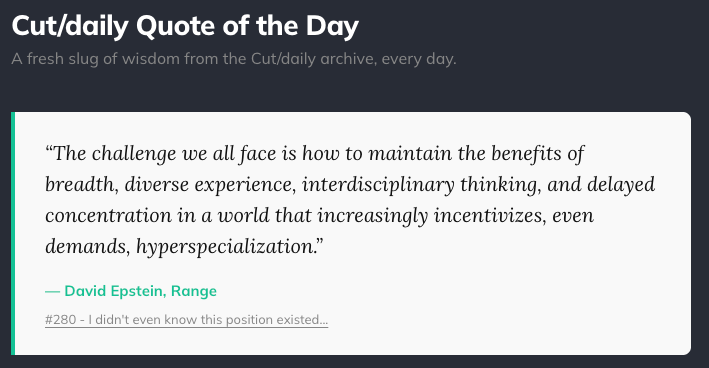
But, as a Cut/daily reader, you too can also pass by /wisdom on the Cut/daily site at any point, to enjoy that day's nugget of wisdom with the added benefit of being able to click the reference link to dive into the original source material.
A fun way to start the day, no?
That nearly covers the Clarity upgrade kit, which includes the battery upgrade, developer edition, charging cable, and microfiber clean cloth.
Honourable Mentions
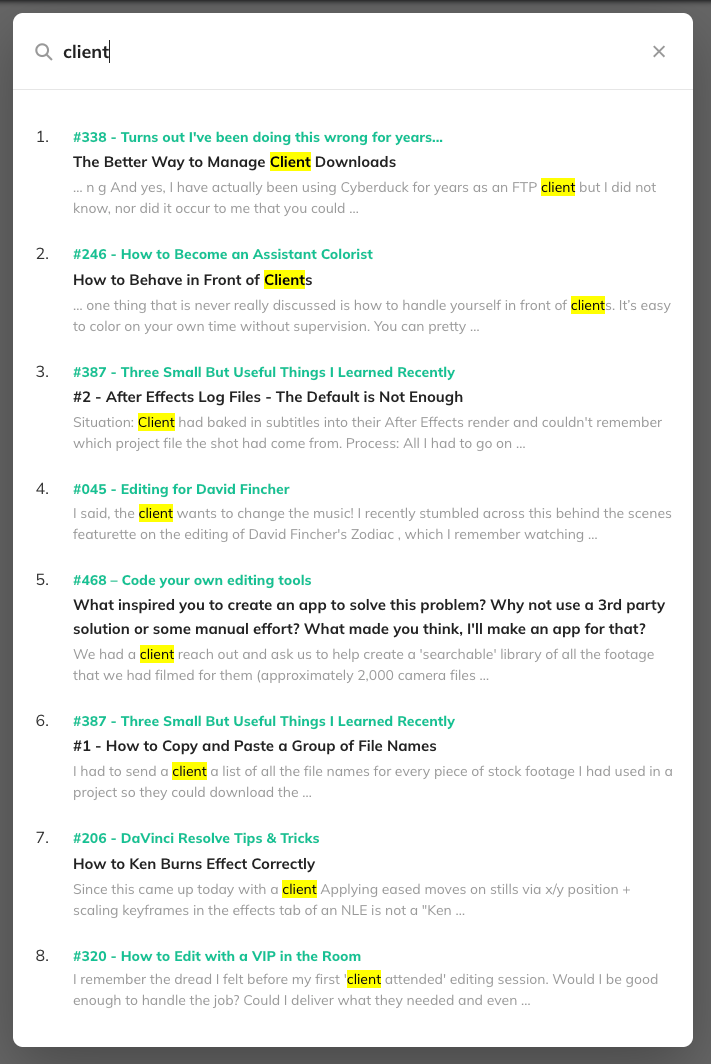
Cut/daily's 500+ Issue Archive and the built-in search function on the Cut/daily site just became 1000% more useful.
Thanks to a new AI-powered indexing I coded into the site, you can now search within every word ever written to find exactly the information you need.
Previously, the native search was limited to titles and excerpts, which was very limited indeed.
This is better. Much better.
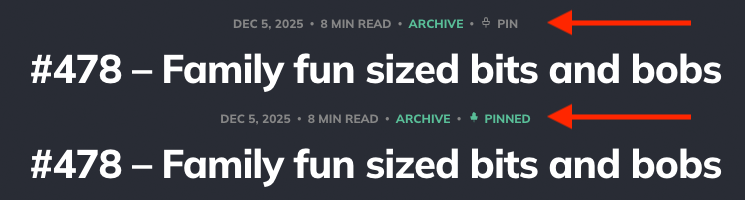
Give it a whirl to discover the Insights you need in the Archive, and remember you can Pin any Issue you want to come back to in your private /Bookmarks list.
If you don't yet have access to the entire Archive, it is only $5 away.
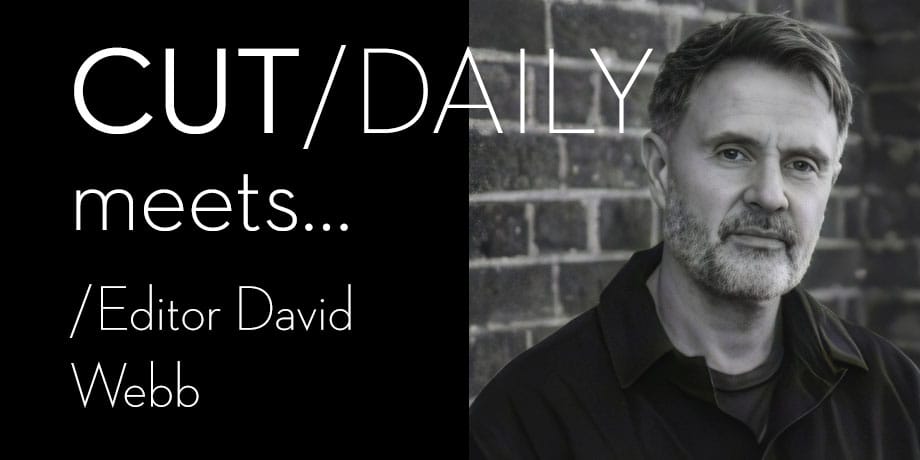
Last week's Cut/daily Meets... interview with Editor David Webb was a real gem.
Go back and revisit it if you've already read it, or if you missed it – run, don't walk to read the whole thing.
Here's how David builds a scene:
Begin reviewing rushes in reverse order. Drop new clips onto the timeline to replace the wide, if they meet the following criteria:
- they are at least as strong as the performance they replace
- they better serve the narrative purpose of that particular scene.
Good takes that don’t quite meet this criteria get a red dot and a note of encouragement. Early decisiveness means the assemblies will be finished by end of play.
Rewatch the sequence:
- Check shot construction
- shot-reverse-shot flow
- rhythm
- eye-line
- tempo – Too fast? Too slow?
- Could the scene play in one shot?
- What was the director’s intent?
Catch myself noodling. Panic about time. Move on.
But first, test a music cue I’ve been thinking about.
Spend 30 minutes working musical ins and outs before realising it doesn’t work at all. Delete it.
Add some sound beds, start layering spot effects, then remember I promised the assistant they’d do this. Stop. Name the sequence - drop it in the daily assemblies folder.
Repeat until the day’s scenes are done.
When the director’s in, the start of the day is the same, but between 9:30 and 10, we chat rubbish - sometimes about work, sometimes about…why Lime bikes are the greatest menace to London’s streets, or how to teach Crows to steal money for you, for instance.
Believe it or not, this is invaluable: it builds solidarity and reminds everyone you’re not just there to push buttons, even if that’s what you’ll be doing for the rest of the day.
Read the full interview: #490 – Cut/daily Meets... Editor David Webb
How do you like d'em App-les?
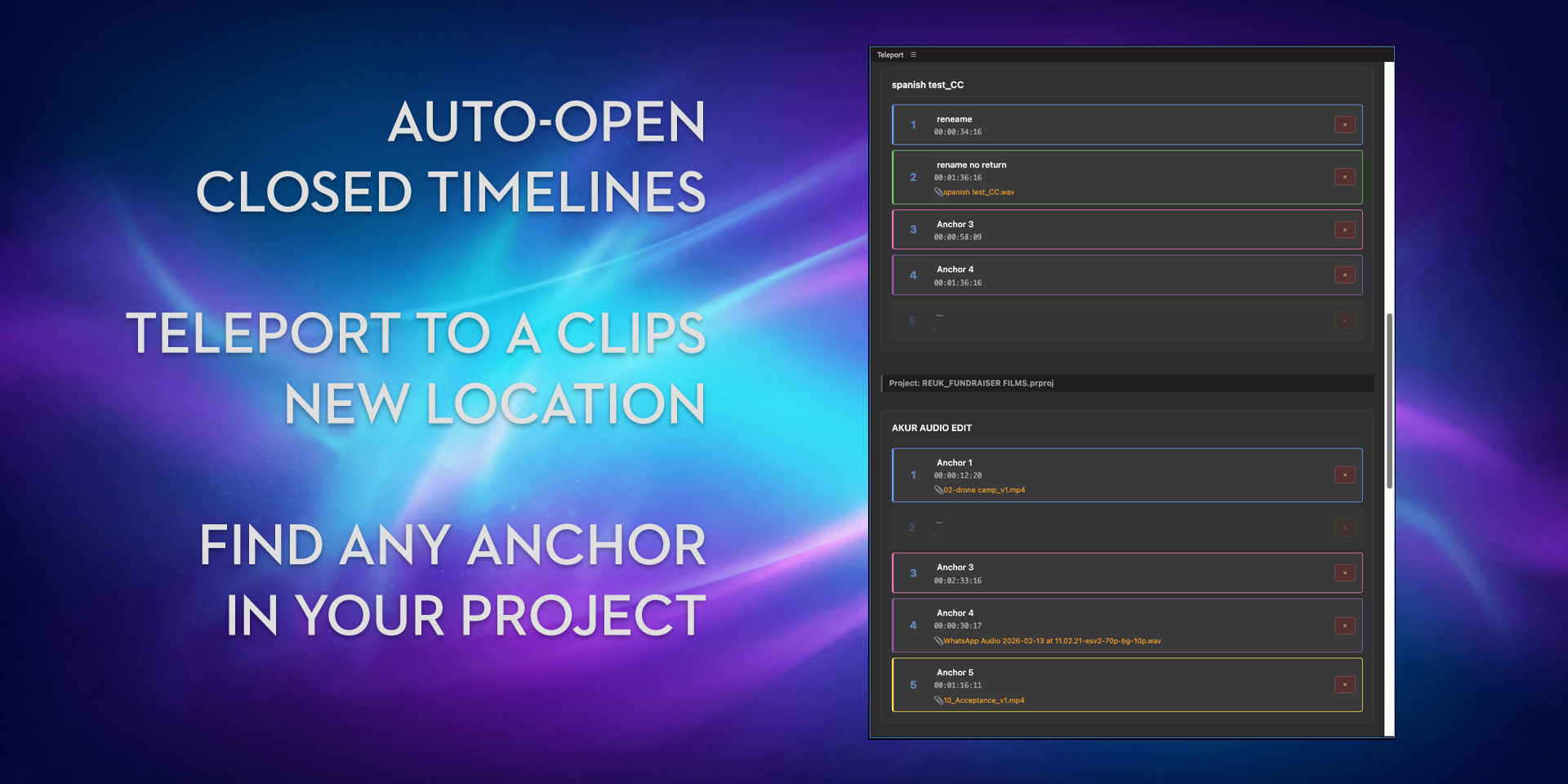
Teleport 2.0 is proving to be a hit, especially because it can do things Premiere Pro can't, such as auto-open closed sequences from a saved Anchor. Super useful.
I relied on Transcriber/Translator (TT) multiple times last week, and it's always a thrill to use something you've made:
- Once on a recording of a client meeting, to generate a transcript for Claude to pull out all of the edit notes from.
- Multiple times to translate for a charity project in numerous foreign languages
Both saved me hours of manual labour or delay. Both cost me a few pennies.
All of the Cut/daily apps received updates with bug fixes, small but essential improvements, and other miscellany. Update today!
Cut/daily Email-based Training
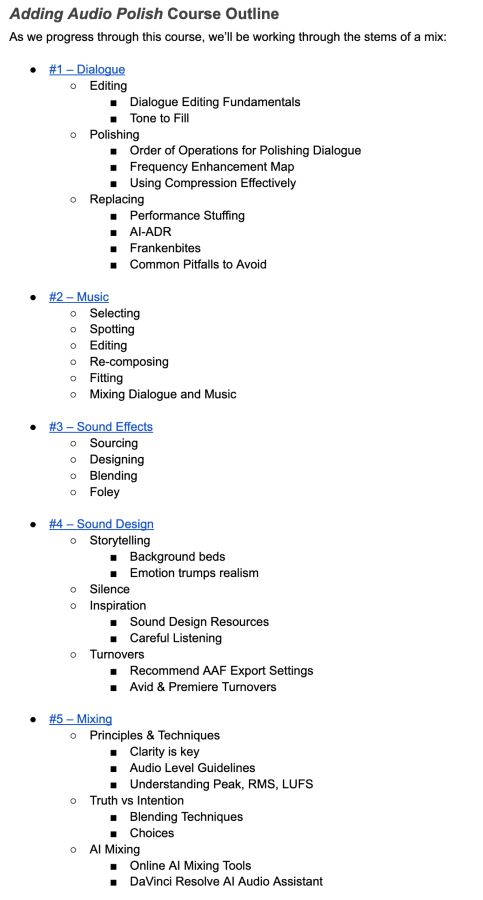
So two years and 21,079 words later, the first Cut/daily email-based training course: Adding Audio Polish, is a l m o s t ready for launch.
The Big Idea: Add to your expertise over your lunch break. Each lesson is a 10-minute read that cuts to the quick with zero fluff delivered straight to your inbox.
Each lesson is supported by hours of hand-picked tutorials so you can go deeper on the specific topics that matter most to you.
Reference the emails for a refresh and hit the online version of the course for key updates – making it a career-long resource.
It's everything an editor needs to know about adding audio polish to every project, without expecting you to be an audio engineer to get there.
The next one...
I promise the next course will be more concise and launch much sooner.
I just got a bit carried away with the first one.
Vote below to see the live results...
What should the next Cut/daily Training course be?
Powered by OneClickEmail
So remember, build the future you want and cut daily.
Save money in Post with Cut/daily!

Get 20% off Cut/daily's post-production apps with new Cut/daily referral codes!
Refer a friend with a 20% discount code, and if they make a purchase, you'll get 20% off too.
Refer two friends, and your discount will stack to 40%; three friends, 60%, etc.
Transcriber Translator was recently updated with the latest AI models from Elevenlabs, Gemini, and Claude to deliver more accurate transcription and translation for your edit.
All apps include a lifetime of free updates and a two-machine license.