
#517 – Paper Edits are dead. Long live Paper Edits.
Today I'm officially launching, Paper Edit App, the most ambitious thing I've built so far.
It turns transcripts into timelines so you don't have to.
Here's how it works in 30 seconds...
I'm currently using Paper Edit to help wrestle 50+ interviews for a feature documentary down into a rough assembly structure, where an exec producer in LA can collaborate with the director in London, all without any media uploads to the system.
I also battle-tested Paper Edit's development over the summer while using it on an 8-part video podcast series with a producer creating paper edits of each episode, so I could just dive right in and start cutting.
It saved me DAYS of manual effort.
We'll dig into the fine print of what Paper Edit App can do and how you can get a month of free Pro access as a thank you for being a loyal Cut/daily reader.
But first...
Last week I asked you who are the editors that make you want to edit, thanks to everyone who replied. Here a couple of my favourite responses!
For me, it is Karen Schmeer for Fast, Cheap and Out to Control.
Until that documentary, I had never seen b-roll that was not directly illustrating the underlying quote, but instead was showing something wildly different that EXPANDED on the CONCEPT of the quote.
As she and Errol Morris wove together the stories of the wildly different robot engineer, the topiarist, the naked mole rat expert, somehow it all came together and you started to infer how these people’s pursuits - on the surface completely divergent - intersected and were in some senses the same.
I love that film. Tragically, Karen, a young New York woman barely into her career, was killed in a city traffic accident in 2010.
ACE created a scholarship in her name for young editors to commemorate her. I’ve spent my career trying to make a film as good as hers.
— Editor Philip Owens
I couldn't find Fast, Cheap and Out of Control on a streaming service, but you can find it on YouTube.
The Film: RoboCop
The Editor: Frank J. Urioste
A B-movie through and through that is elevated into a bonafide masterpiece by Frank Urioste’s sublime editing - heartfelt and utterly kickass in equal measure.
— Editor John Dwelly, BFE
Frank's credits are pretty epic, including three Oscar nominations(!) and titles such as: Total Recall, RoboCop, Basic Instinct, Cliffhanger, Die Hard, Tombstone, Executive Decision, Conspiracy Theory and Lethal Weapon 4.
John shared two great links to hear more from Frank here and here.
My contribution is to draw your attention to Arnold Schwarzenegger's hilariously insightful Total Recall dvd commentary.
So, what's so great about Paper Edit?
Okay, so while I am trying to “sell” you on giving Paper Edit a whirl for yourself (for free), I guess I feel more like a proud parent trying to humble-brag to their friends about their (probably average) child.
What I love about making things, is that when they work, it feels exultant.
What does Paper Edit do?
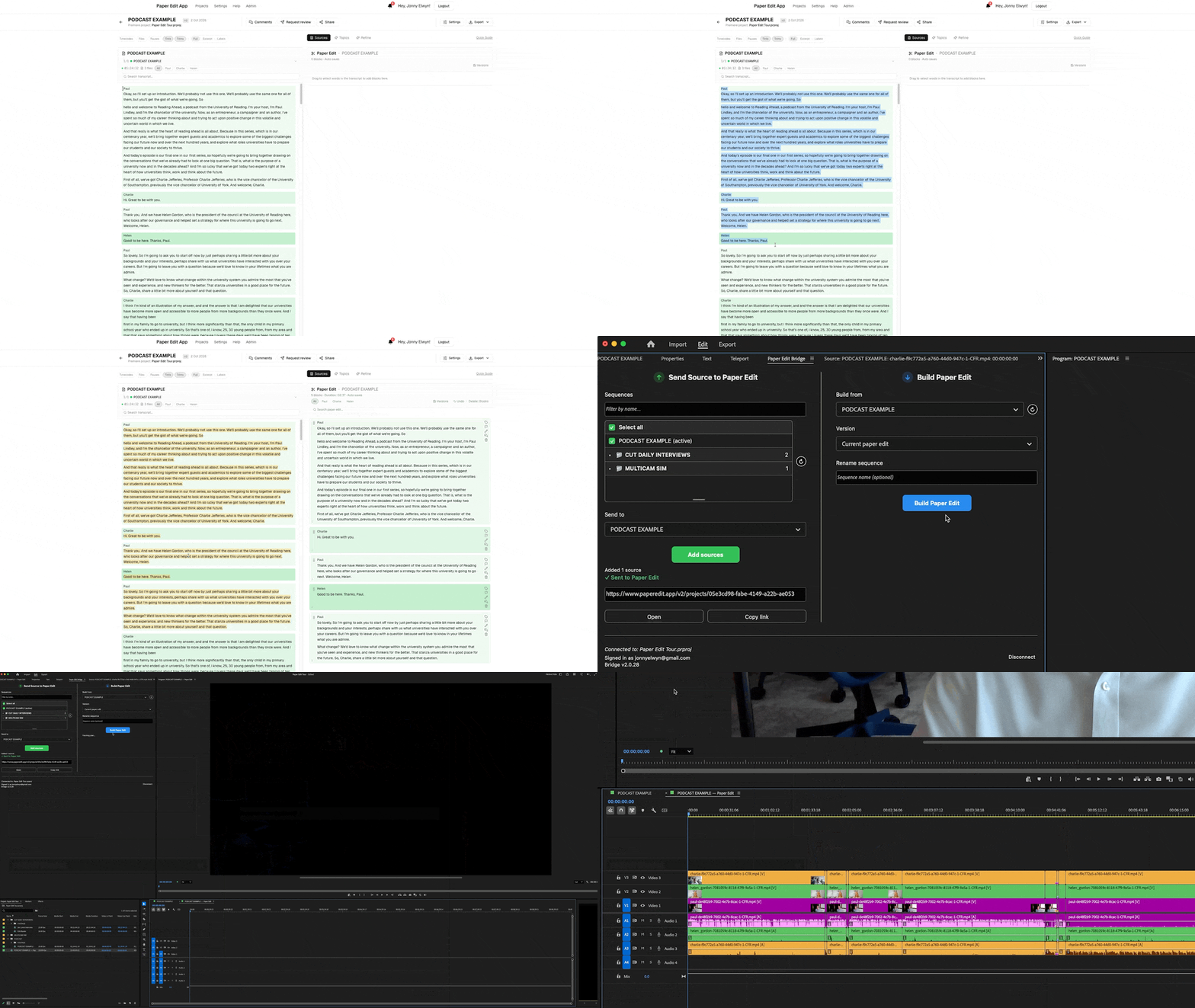
Paper Edit automates the process of making paper edits without uploading any footage, creating proxies, exporting files or wasting your time.
There are four simple steps:
- Transcribe your footage and set up your timeline in Premiere or DaVinci Resolve Studio the way you want it cut back together.
- E.g. multiple video layers, separate sync audio, multicam etc.
- Send this Source (or multiple) to a Paper Edit project.
- Craft the paper edit with text selects, reordering blocks, adding markers etc.
- Collaborate in realtime, add comments, suggestions etc.
- Build the Paper Edit back in Premiere or DaVinci Resolve Studio.
Compare that to the old way of doing things:
- Transcribe your footage and export these transcripts to text (with timecodes)
- Upload your transcripts to Google Docs, PDF or actual printed paper
- Export BITC* video versions to Frame.io or files for client to download
- Client/Producer watches video and makes notes or highlights transcripts
- Client/producer writes up Paper Edit into Word or Google Doc
- You meticulously compare their timecodes to your timeline** and manually re-create the paper edit in video. This often involves cross-checking, finding 'From this word to that word' references in the notes etc.
This was not fun.
*Burned In Time Code
**Hope they noted the real timecode not the duration into the video timecode
Is Paper Edit Better?
Paper Edit has saved me a ton of time, and I can't imagine not using it on projects like documentaries, podcasts, webinars – anything with interview/piece-to-camera led structures where the first step is always to get the right people saying the right things in the right order.
This 25 minute video walks you through every single feature Paper Edit has to offer, so you can both see how to use them and learn what there is to do.
Are there other systems out there that do similar things?
Absolutely.
To name three:
- Quickture ($499/month)
- Edmon (€40/per hour)
- reduct.video
But they all involve uploading media, burning through AI credits (transcription, media analysis, agentic workflows etc.) or expensive subscriptions and project costs.
Services like Descript and Riverside are not designed for this kind of video editing, although they do have similar 'text-to-edit' workflows that are ideal for simple single sessions recorded on their platforms.
What's it cost?
Conversely, Paper Edit offers a low-cost monthly or annual subscription which, compared to the cost of your time to manually re-create a paper edit, is a steal.
The AI features are a bonus (everything else works without them) and you stay in control of those costs by plugging in your own pay as you go API key. You load it up with say $10 and spend that a few pennies at a time. For example, topic mapping an hour long interview costs a couple of cents.
Can't AI just do it for me?
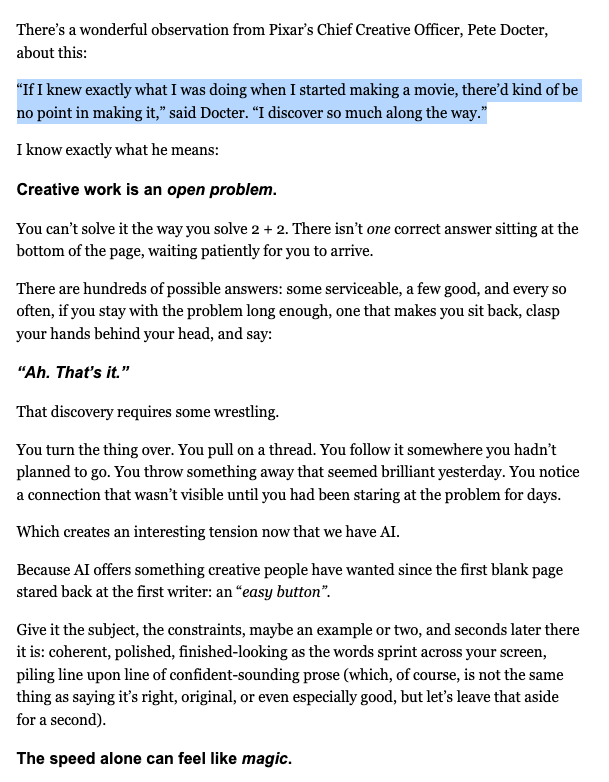
Unlike a lot of the other services, Paper Edit has no ‘AI-do-it-for-me-easy-button’.
Editing is a discovery process. You watch the footage, absorb the ideas, make connections, draw parallels and in putting in that effort, gain valuable daily experience that improves your abilities as an editor.
As I argued in #513 – What AI is really taking from you, using AI to do it for you means you're robbing yourself of the opportunity to improve in your craft.
Who wants that?
Instead, Paper Edit does use AI to help you:
- find things faster (semantic search)
- explore your footage (topic maps)
- refine your edit (suggestions only)

Try Paper Edit free for a month

There are two ways to try Paper Edit App for free:
- Sign up for a free account at paperedit.app
- This will give you a single free project to play with
- Sign up for free at this special link
- This will give you one month of Pro access with unlimited projects
This will not start charging you after the first month ends as you don't have to enter your card details. Add your card details in Settings > Manage Billing to keep your Pro account.
You can also claim the free Pro offer even if you already have a free account with Paper Edit.
Or if you really like Paper Edit you can take advantage of the current launch offer and get a whole year for only $149 with $50 off.
Give Me Your Hot Takes
A Cut/daily reader who recently bought the Adding Audio Polish training course gave me some critical feedback on one of the lessons, which proved invaluable and led to an improvement to the content of the course, which benefits everyone.
So, I'd love for you to give Paper Edit a try and then let me know what you honestly think.
Be brutal.
So remember, you grow when you cut daily.
PS – This week I really enjoyed Good Fortune. It's a charmingly funny film about a documentary editor trying to get by in LA.
Save money in Post with Cut/daily!
Struggling to get your (completely different) source cameras to match?
This is a challenge! Especially given the different characteristics of the lenses, sensors, and compression algorithms that vary from camera to camera.
Fear not, there's a plugin for that.
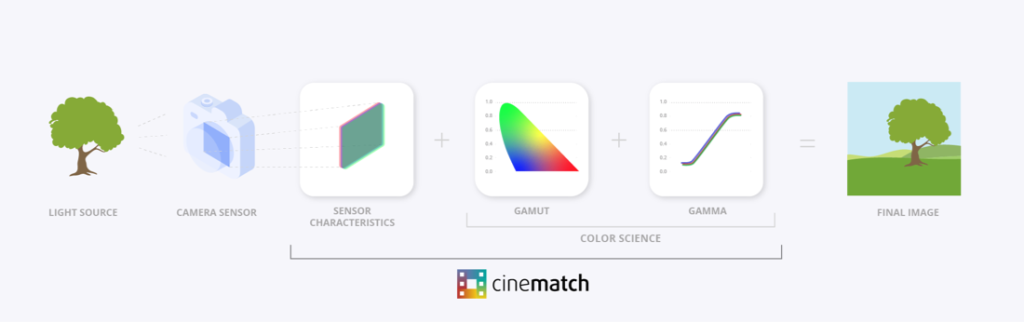
FilmConvert's CineMatch has profiles for over 70 different cameras to reverse engineer the secret sauce that defines how each camera captures its images.
CineMatch can then transpose the differences between one camera’s profile and another, enabling them to match each other accurately.
Save 10% on CineMatch with the discount code “ELWYN” or download the unlimited free trial.