
#514 – DIY Post Production Tools

People are building things.
It used to be I got a lot of emails from companies asking me to tell you guys about their latest offering.
Most of the the time I'm inclined to pass. Not because I don't like big companies - I do! - but because often what they're making (online AI editors, AI avatars etc.) isn't interesting and I don't want to waste your time.
These days, however, I also get emails from fellow editors and solo developers (just like me!) who are building genuinely interesting tools that fill the real workflow gaps in our day-to-day post production experience.
The challenge for builders and buyers is finding each other out there on the vast blue ocean of the internet.
So in this Issue of Cut/daily I've hand-picked a fistful of such apps worth your time and consideration:
- Building better subtitles in Premiere
- Lightning fast metadata exports for Editors & Assistants
- Porting whole Premiere projects to Avid Media Composer
- Bringing Frame.io back inside DaVinci Resolve
- Activating a smarter copy/paste in Premiere
But first... the real problem with Vibe Coding
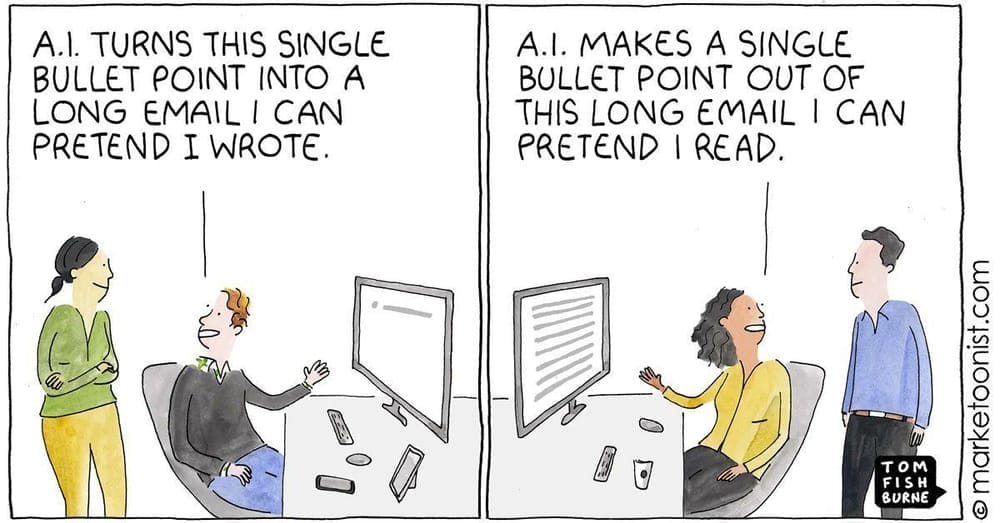
The current Cambrian explosion of tools, wrought through the democratisation of AI coding powers, isn't a perfect situation.
There are potential problems that come with relying on vibe-coded apps from solo developers in critical post-production workflows.
Is it sustainable? — A bigger company usually has the capacity and responsibility to be around for years to come and deliver bug fixes, feature updates, and compatibility fixes.
- Will you trust the person to keep working on the tool?
- What sort of customer support can you expect?
- Is their reputation on the line?
In defence of my solo dev position, hopefully I'm building a track record where:
- Every Cut/daily tool has been through multiple rounds of updates, feature improvements and new additions. Most of which no one asked for but I put the work in because I just wanted to make them better.
- I answer every support email as fast as I can, and often with a shipping update.
- As someone who builds and writes in public I feel like I have a modicum of professional reputation (or at least its facade) to uphold.
My advice, if you're building a tool
Just because you can doesn't mean you should. (I warn myself of this often.)
- Not all tools are made equal – the tool you're psyched about might not be compelling to others.
- Check if the tool you've just made hasn't already been absorbed by the incumbent app. Eg. everyone wrapping the Elevenlabs API to split out clean audio stems, Adobe has built this into Premiere.
- Consider whether what you're building could easily be replicated by the incumbent app and see if you can counter-position yourself against that.
- Or at least build something they have shown no interest in fixing thus far and make the most of the window of opportunity.
One psychological hurdle to overcome in the mind of potential customers in this new AI-DIY era seems to be the idea that, because everyone thinks they can do it, persuading people that what you've put weeks of time and effort into is worth buying instead.
Although the truth is that well designed, tested and performant software is still an artisanal craft in itself and a lot more work than it looks.
This is why I think the service aspects of software are now a bigger differentiator – regular bug fixes, useful new features and rapid customer support now matter more than ever.
All that said, I'm (obviously) a huge fan of building your own products, and the real benefit is that we can all build the tools we want, so if you build something, start with scratching your own itch.
Go forth and build stuff.
There's a New App for That
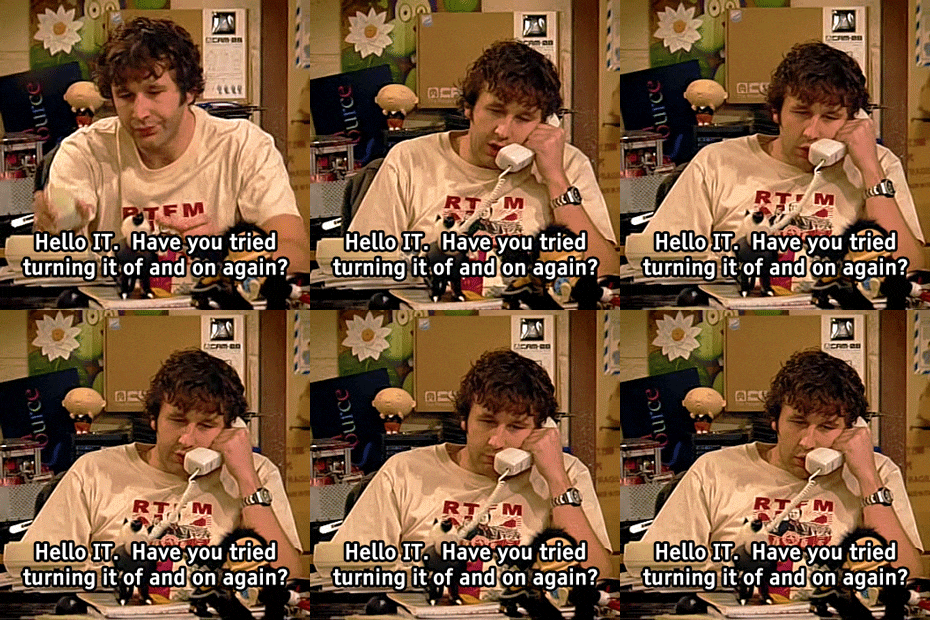
Better Captions - Premiere's Captions, but Better
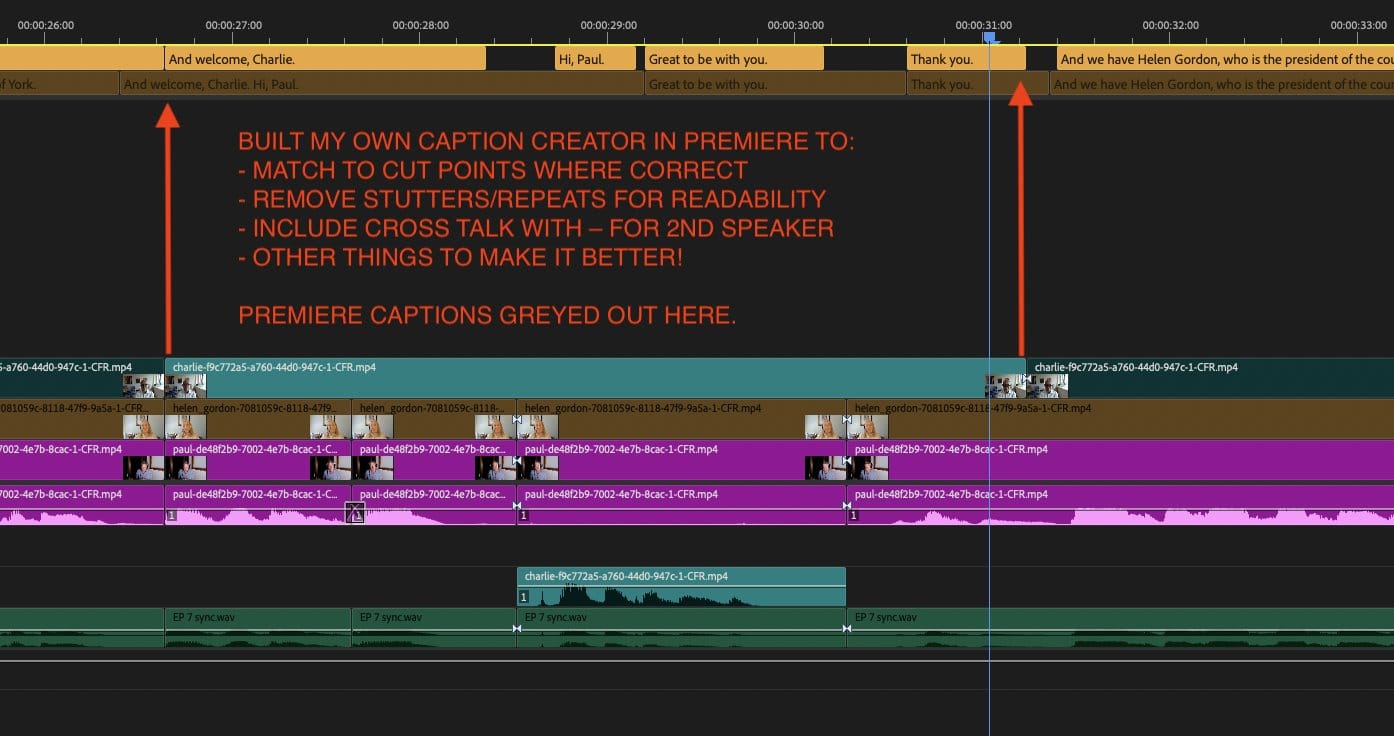
Why I built Better Captions
I started building Better Captions over the summer while editing a video podcast series, that had 8 episodes ranging from 30 to 60 mins each. That's THOUSANDS of captions, to check, correct, adjust at edit points, split wonky sentences, remove filler words, check punctuation and much more.
On the first episode I corrected every single subtitle by hand and it easily took half a day of tedious work. That's when I thought - there has to be a better way!
Once I had Better Captions really singing, that time was down to around an hour or less. I still had to fact check names, places, job titles etc, but 90% of the manual labour was already taken care of.
What makes Better Captions Better?
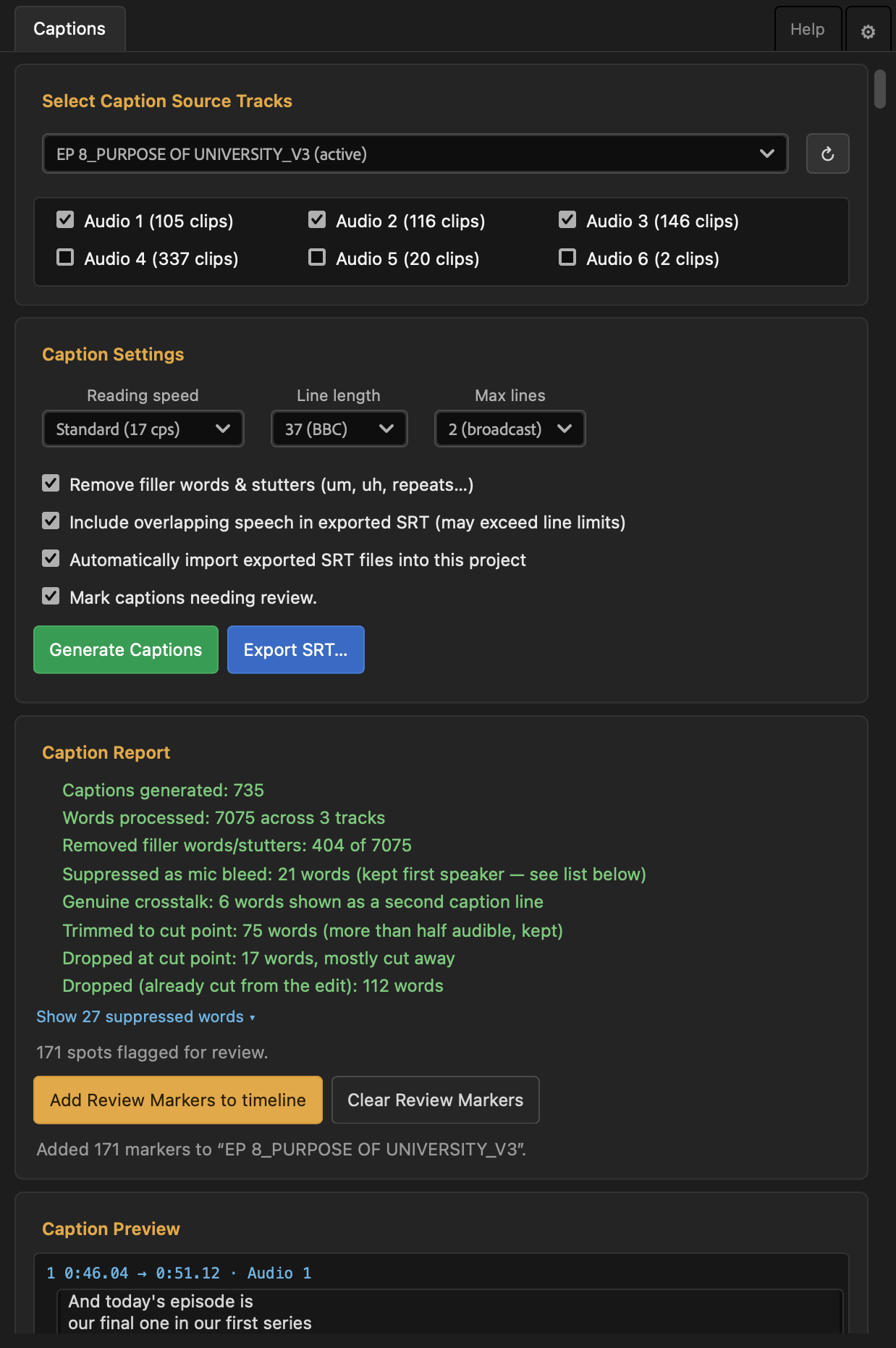
Better Captions takes your existing Premiere Pro transcript and cleans it up into broadcast ready on screen captions (AKA subtitles).
It does all this ‘programmatically’ so you're not burning AI tokens or running up subscription costs every time you want to use it.
It handles things like:
- Removing every ‘um, sort of, you know’ and stutter repetition
- Splitting sentences correctly across captions
- Adhering to correct punctuation
- Trimming captions to match adjacent cut points
- Suppressing mic bleed automatically
- Flagging cross-talk with a dash on the interruption
Launch offer: As a thank you for being a loyal Cut/daily reader I'm offering you 30% off the normal price so you can snap Better Captions up for only $20.
Which, frankly, is a steal given how many valuable hours you'll save while getting your subtitles ready for export.
Thank me later...
Listify - The Best Metadata Tool for Editors and Assistants
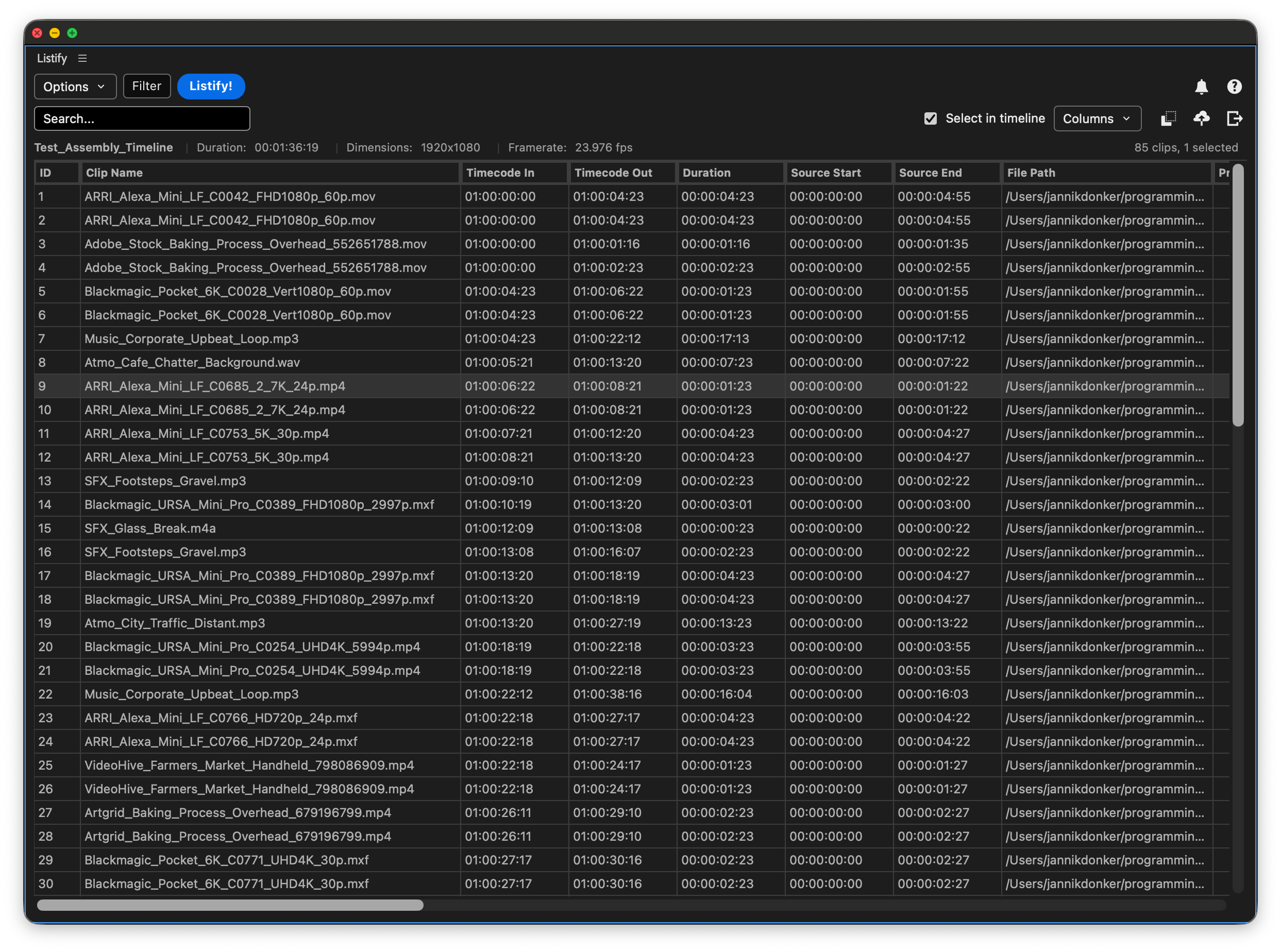
Listify is one the most useful plugins you can buy for creating custom lists and metadata exports from Adobe Premiere Pro.
Think:
- VFX reports
- Stock footage logs
- Music Cut Sheets
- Sequence metadata
- Footage logs with thumbnails
It's also been around long enough that it looks a lot like Adobe was definitely ‘inspired by’ Listify when it created the new Sequence Index panel.
But there are quite a few handy things that Listify can do that the Sequence Index can't such as:
- Exporting thumbnails per clip
- Exporting to XLSX
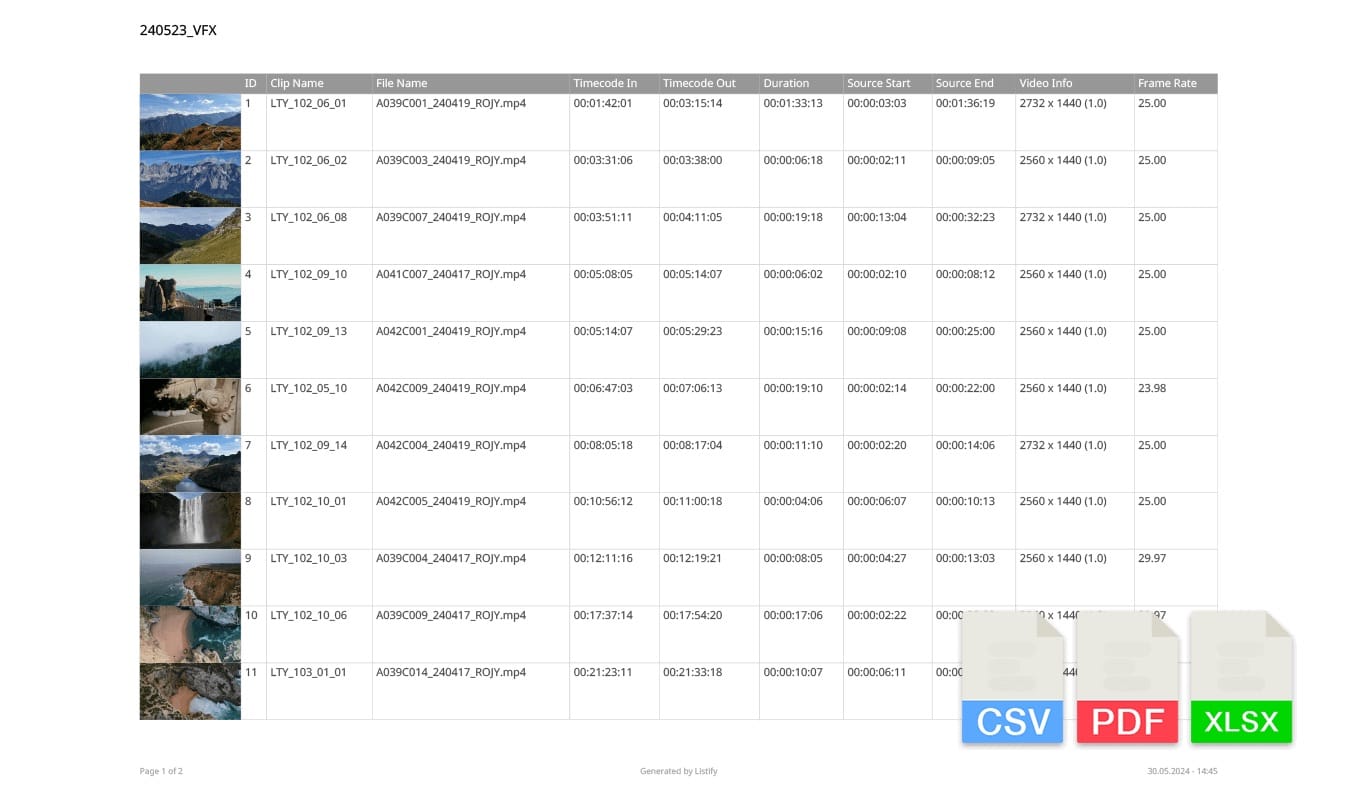
Both of which were crucial for me when I was asked to deliver a complete log of close to 100TB of footage to a producer for another doc I'm working on.
While this would have been an effective but time consuming process with the original CEP version of Listify, the completely rebuilt UXP version (using Adobe's latest APIs) was incredibly quick at exporting the metadata and thumbnails for thousands of clips.
The UXP version also adds other valuable improvements:
New Metadata Fields
- Added access to Scene, Shot, and Good Take metadata
- Added Scale, Position, Rotation, Opacity, and Speed values
- Added Proxy Status, Offline Status, Proxy Path, and Usage fields
- Added support for custom, user-defined metadata columns
Export Options
- Significant performance improvements across the board, powered by UXP
- New export engines for PDF, Excel, and image generation
- New image export formats: EXR and DPX (existing JPEG, PNG, and TIFF)
You get both the CEP and UXP versions of Listify with every purchase so you can run it on any previous version of Premiere you might be rocking.
I can't recommend it more highly!