
#509 – We're back in business.

And we're back.*
I don't know why but even after driving the family nearly 500 miles from St. Andrews in Scotland to home sweet home in London, I always go into hyper-productive mode as soon as we walk through the door; unpack, hit the shops, put washing on (laundry for those across the pond) etc.
My wife prefers to “just sit for a minute”, where as I cannot rest until it's all done.
Then I'll feel like I can be at peace. (This is actually a trap, but I can't help myself!)
So, in the same way, this Issue of Cut/daily is a product that trait - the need to clear the decks before we begin again, sharing all the outstanding tidbits of editorial interestingness before we (probably) get into some single-serving topics in the coming weeks.
Thus this Issue includes:
- Vimeo's price hikes and what to do about them
- Why I'm not that interested in your AI video editing app
- Nifty AI-free timesaving Avid Media Composer macros
- 3 x audio tools to test drive on your next project
*Cut/daily was on hiatus the past 2 weeks, as per tradition in August and December. Thanks for standing by.
Spoons Gonna Bend
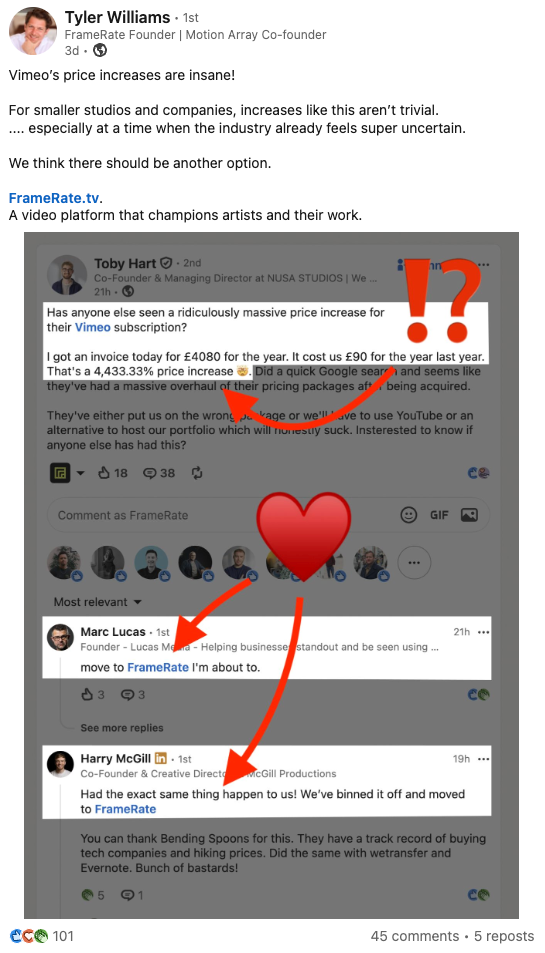
Vimeo was recently bought by Bending Spoons and they are running their usual playbook to the letter - including enormous price hikes.
If you've been blindsided by one of these automatic ‘upgrades’ then you should:
- Contact Vimeo customer support and demand a refund
- Move to FrameRate
- Use their migration tool to download/upload everything
- Use discount code: CUTDAILY to get 15% off your 1st 12 months
Your AI-Editing Tool is Probably Boring

I get a lot of emails from people who have made an AI editing tool that basically does... what all the other AI-editing tools do?**
Please save yourself the trouble.
If you're not doing something new/interesting/different/useful - I'm not that interested.
**To whit, transcription powered silence/filler/tangent removal, finding hooks, social clips etc — all based on text alone and yet I have to upload all of my media for this to happen.
I'll pass. They're all the same and I don't want to use them for this reason:
You can outsource your thinking, but you cannot outsource your understanding.
— Someone on Twitter
If you're going to tell your clients: “This is the best version of what we have.” then you need to do the real work to back up that claim.
This is why I built Paper Edit to involve zero media uploads and without an AI-do-it-for-me button.
It's designed to be used by someone who doesn't have the media, likely doesn't need to see the media, but wants real hands-on decision making over the edit.
A producer, director, or client who just needs to make transcript selections in order to give you the bare bones of an edit to get started with.
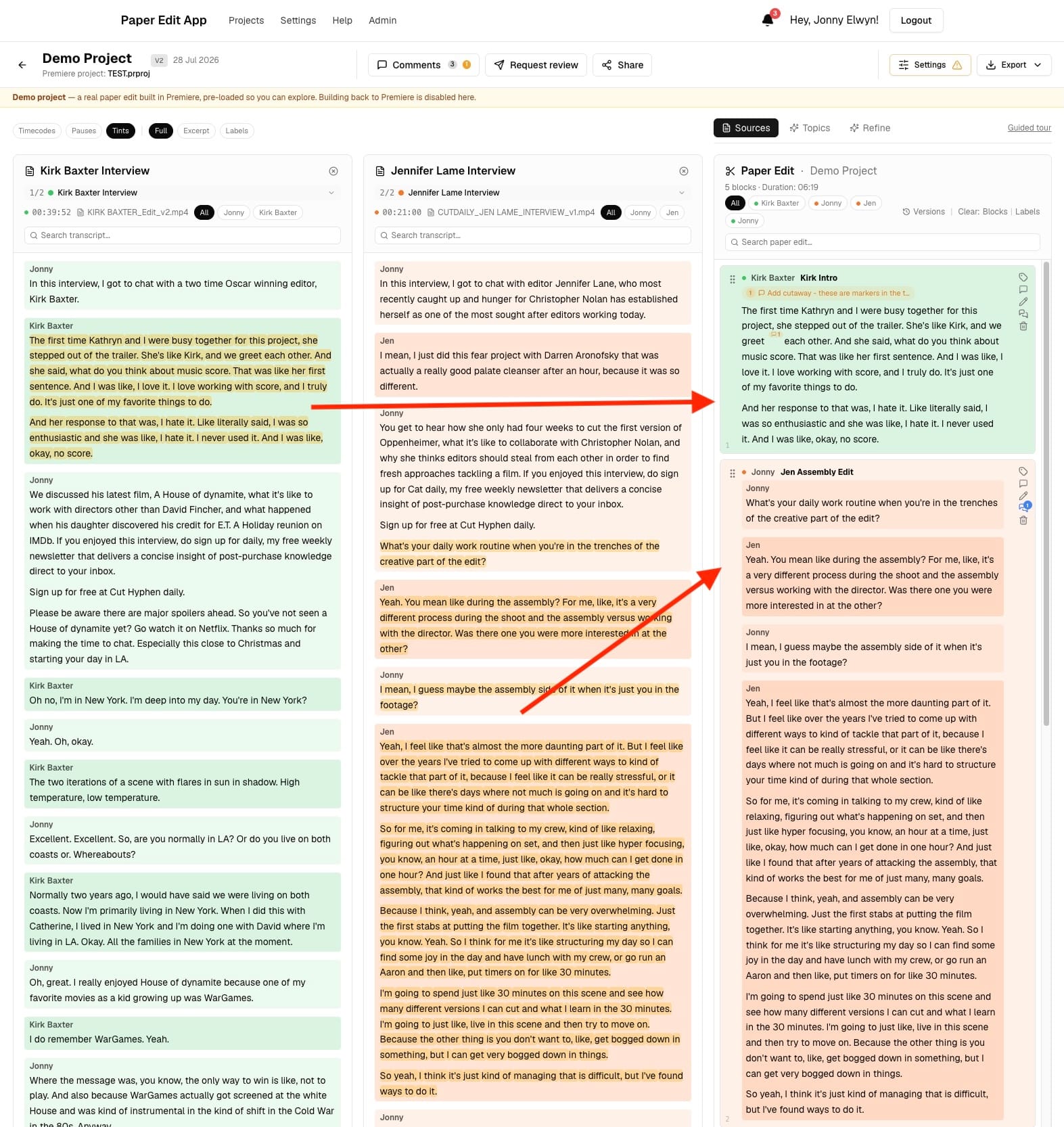
How it works
- Create source timelines of your sync interview material in Premiere
- Upload these via Premiere plugin to Paper Edit App (a few KBs data)
- Invite the client/producer/director to the Paper Edit project
- Let them craft a paper edit by:
- Making text selects from multiple sources
- Re-ordering the structure, trimming blocks etc.
- Adding comments that load as markers in your timeline
- Collaborating with others
- They notify you when they are done through the platform
- You open the Premiere plugin and click Build Paper Edit
- Magic occurs
- You're now ready to start editing their paper edit of the source material
But this is also why Paper Edit does not have an AI-do-it-for-me-button.
The client (usually!) knows what they want and Paper Edit lets them show you want they want instead of entrusting the project to the black box of AI.
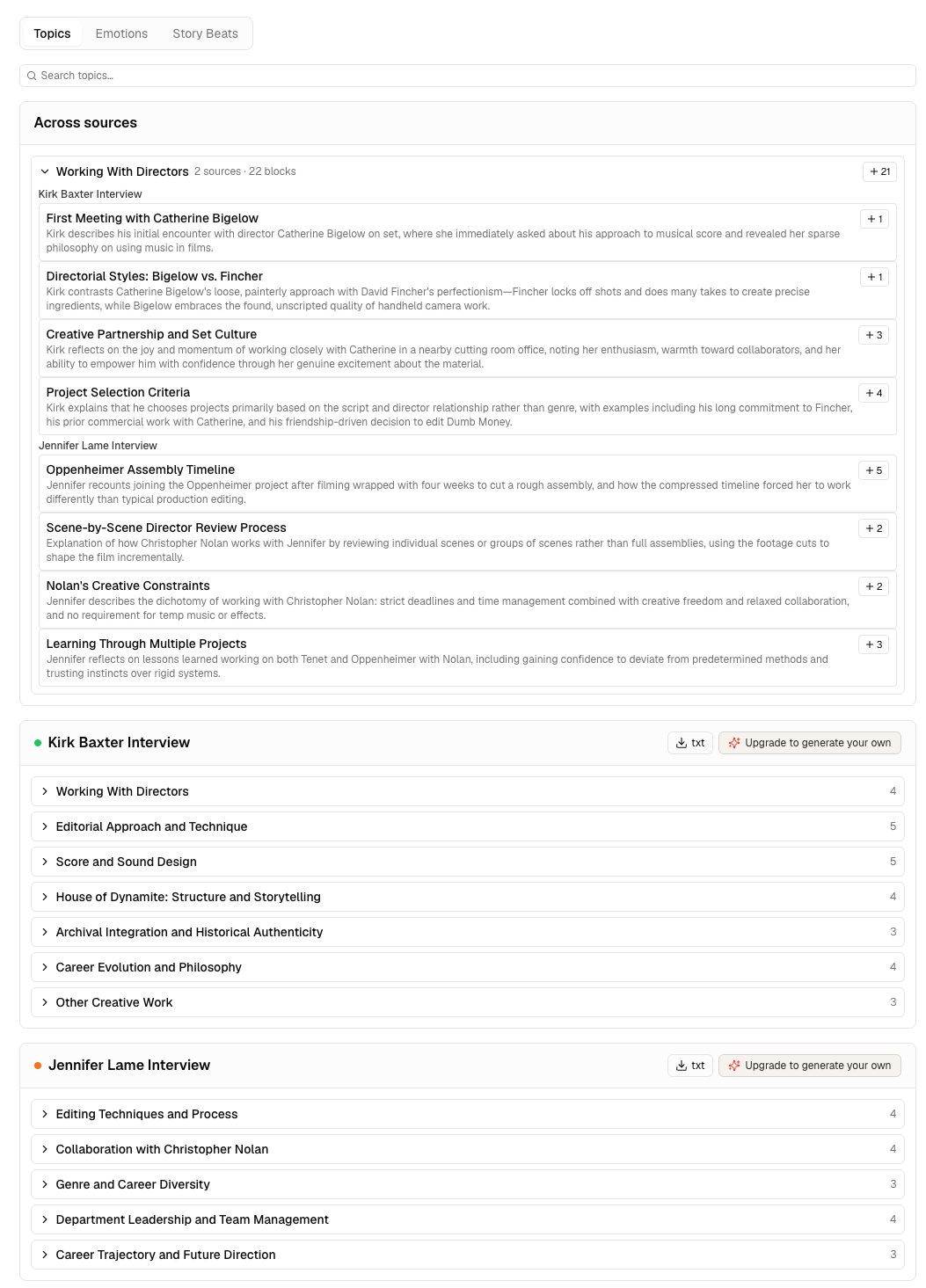
Paper Edit does use pay-as-you-go AI to:
- create optional topic maps of your material
- perform semantic search of your transcripts
- offer suggestions on the content and structure of a paper edit
But these tools only serve to bolster your own decision making by helping you understand what you have and find what you need.
I've put a ton of time into building Paper Edit App and I'm hoping to ‘launch’ it properly soon, but I'd love to know what you think of it and how I can make it better, so why not give it a whirl for free?
Run your first project through Paper Edit for free to experience the instant satisfaction of seeing your source media build itself into an editable timeline.